
Program configuration for Gnus 5.11
Note: Gnus is an extension of the "Emacs" editor system which has its own program and operation philosophy. Furthermore Gnus has probably more configuration options than all other programs together. This guide can show only the essential configuration and usage. For further settings refer to the extensive documentation included in the program and in the net.
Make the following adjustments to use our news server:
1
General
Emacs (and so Gnus) use their own style to write keyboard combination, we have adopted it for this guide:
"C-x" means "Ctrl-x".
"C-x s" means "Ctrl-x" followed by the letter "s".
"M-x" means "Meta-x". The "Meta" key is usually the "Alt" key. You can, or sometimes must, use the "Escape" key instead. Unlike the usual operation you will have to release "Escape" before hitting "x".
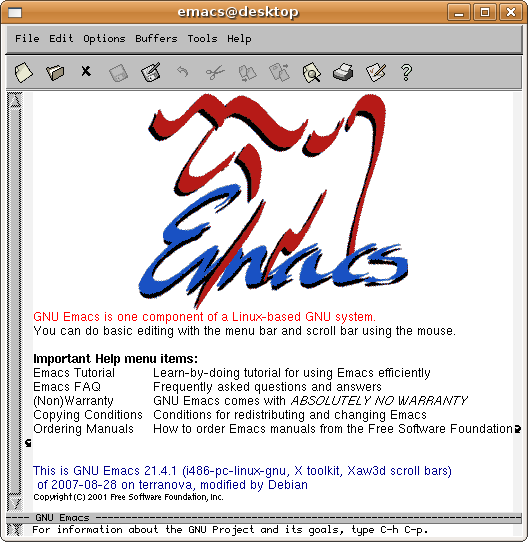
Start emacs, e.g. by entering "emacs" in a terminal.
2
Initial configuration
Create a new file ".gnus.el". To do so enter "C-x C-f" and complete the file name in the bottom line to "~/.gnus.el". Press enter.
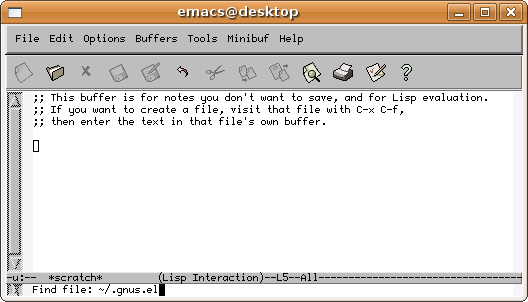
In this "buffer" enter the following lines
(setq gnus-select-method
'(nntp "news.cis.dfn.de"
(nntp-open-connection-function nntp-open-ssl-stream)
(nntp-port-number 563)))
(setq user-full-name "Erika Musterfrau")
(setq user-mail-address "musterfrau@example.net")
where you enter your real name instead of Erika Musterfrau and your e-mail address instead of musterfrau@example.net. Make sure to write down all parentheses and quote signs as shown.
Save the file by typing "C-x s" and confirm the request with "y".
If the access to the news server via TLS/SSL does not work for you, set gnus-select-method as follows:
(setq gnus-select-method '(nntp "news.cis.dfn.de"))
If your access to our news server is based on password authentication you can save that data permanently. To do so, open a file ".authinfo" in the same way as above and insert a single line
machine news.cis.dfn.de login <user> password <password>
where you enter your username instead of <user> and your password instead of <password>. You have received that data from us.
Save that file and protect it against unauthorized access by other users. Open a terminal window and enter the command
chmod 600 ~/.authinfo
Storing your account information in the news reader's configuration is a potential security risk. If you are unsure, please refer to our FAQ at http://news.cis.dfn.de/faq.html#1.6.
It is not necessary to enter a password if your institution is a member of the institutional access scheme (Anwenderzulassung) and you are accessing the server from your institution's network.
If you do not save your password Gnus will ask for it if required.
3
Start Gnus
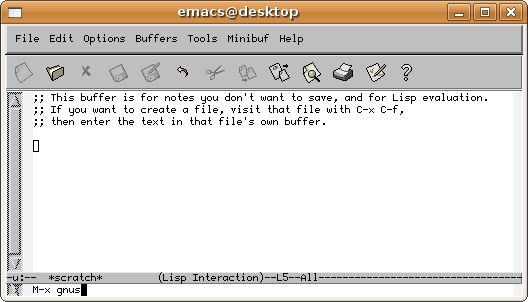
Enter "M-x gnus" and hit Enter.
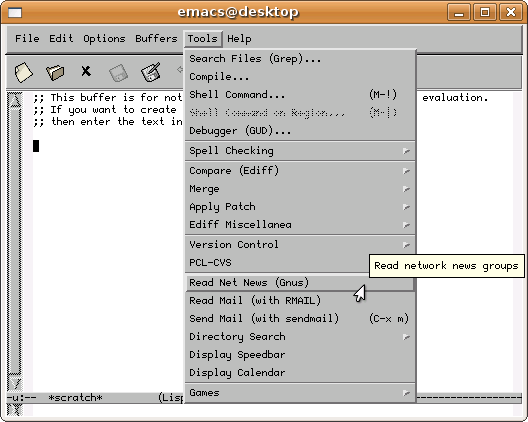
Alternatively you can start Gnus via the Tools menu, then Read Net News (Gnus).
During first start Gnus retrieves the list of all groups available on our server. This may take a while.
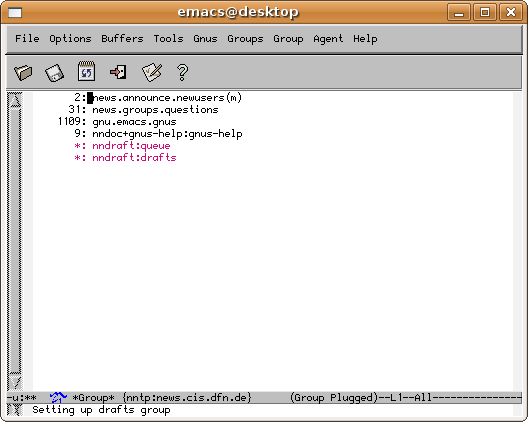
You will see a small list of already subscribed groups. Gnus calls that list the "*Group* buffer" and shows that word in the last but one line.
4
Subscribe groups
Enter "A A" (two times capital A) to see the list of all available groups. You can mark the group you wish to read by typing "u". The asterisk left changes into the number of articles in that group. To find a group by its name you can enter "C-s" and parts of its name. The "<" and ">" keys will bring you to the beginning and to the end of the list respectively.
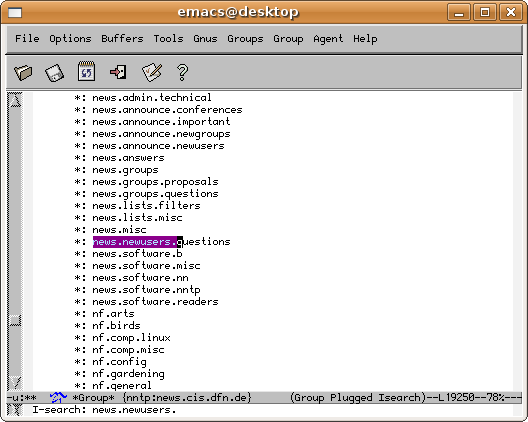
To find a group you can also enter "U" and enter the name. The usual "tab completion" will help you: Hit the tab key after a few letters and Gnus will complete your input as good as possible or show the groups that still match your input. Note the display of the group list will not switch to that place.
Enter "l" to return to the list of subscribe groups. You can sort that list using "C-c C-s".
To unsubscribe a group hit "u" again. A "U" letter appears left of the group as a confirmation.
5
Read groups
Move the cursor to the group you wish to read and hit the space bar. Gnus might ask in the bottom line how many messages should be read:
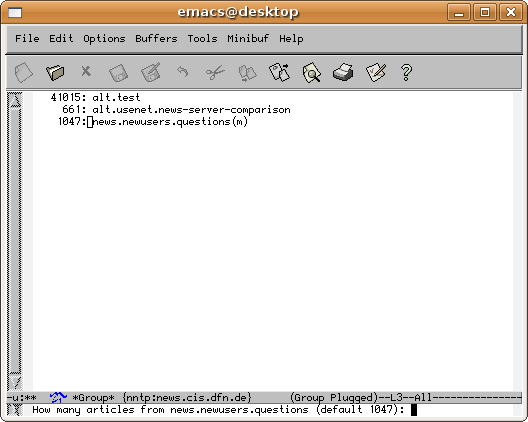
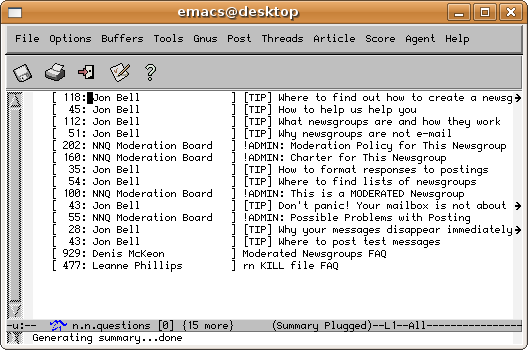
You read articles by hitting the space bar. The same key will page through the article and advance to the next key. Hit "=" to return to the article overview.
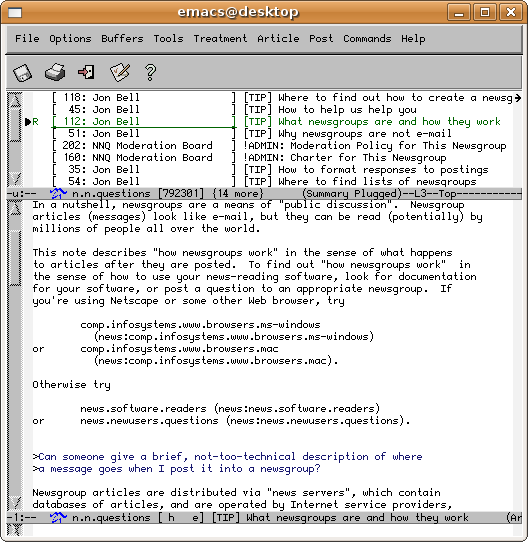
The "q" key will bring you back to the group list.
6
Write articles
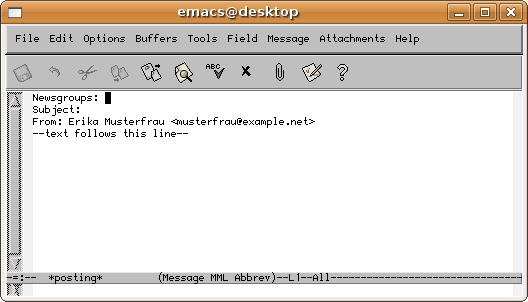
The write an article hit "a". A new buffer opens, enter your text here. To post the article, hit "C-c C-c".
7
Quit Gnus
You leave Gnus by hitting q" in the group list. Confirm the request.
Leave Emacs by entering "C-x C-c". Always quit Gnus before terminating Emacs.
8
Misc
You can start emacs within a terminal window, this is enforced by starting Emacs as "emacs -nw". The operation using the keyboard is identical although the appearence is quiet different.